|
|
View Saeco's Domestic Warranty Policy Our national SAECO repair centre is located at: Espressoworkz reccomends that you get your coffee machine serviced anually. Ph 09 623 0063 or email
This e-mail address is being protected from spambots. You need JavaScript enabled to view it
|
|
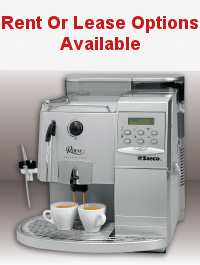
SAECO Common Faults and Fixes: Model: Royal
Model: Incanto
Model: SG200/Rubino200 Vending Machine Model: Idea Cappuccino |
|
Model: Royal Problem 1: To Turn off Descale signal: 1. Press Menu button once. 2. Press up arrow button until you read signal descale. 3. Be sure the * curser is flashing beside the wording signal descale. 4. Press the enter button. 5. Press the up arrow once until it reads off. 6. Press Enter once. 7. Press esc button twice |
|
Drip Tray, Dregs Draw, Rails, Brew Unit 1. Open right hand side door. 2. Pull out drip tray. 3. Pull out dregs Draw. 4. Pull out Brew Unit. 5. Check to make sure brew unit is sitting on rails correctly 6. Push Brew Group home firmly. |
|
|
|
Normally the temperature of cup of coffee is dictated by the temp of the milk, as 85% of drink consists of milk, the only way to increase the temp of milk is to restrict the flow of milk rushing through the Milk froth unit, like a small clamp to squeeze the tube. Other options include warm up cup with cup warmer on top of machine, or increase the coffee temp itself. To increase Coffee Temp: 1. Go to menu, press once. 2. Press the up button until you get to:
3. Press enter once. 4. Press up button until get to:
5. Press enter 6. Press escape twice |
|
Problem 4: Machine dumping dry coffee puk’s: Normally this is caused by the brew unit straining too much and gives up, dumping the coffee! Two reasons for this: Brew Unit is Dry of grease: re-grease Brew Unit Machine grinding too much coffee: one possible way to fix this is to: Adjust coffee doser to the minus or adjust the coffee doser. |
![]() |
|
Sometimes you empty the dregs draw, three coffees later the machine asks you to empty the dregs Draw again? The reason for this is that the machine counts every coffee shot, after 30 shots the machine requires you to empty the Dregs Draw, it doesn’t know you just did it three coffee’s ago To get rid of empty Dregs Draw signal:
|
|
1. Check that the switch on left hand side of machine (Pic) is turned on. 2. Check that power is going to that particular appliance outlet by plugging in another appliance in same socket. 3. Check to make sure that door on right side of machine is closed. 4. Failing all this bring the machine in to your service agent |
![]() |
|
Problem 7: Says water tank empty, when clearly full: When the float is faulty the magnet will sink. |
![]() |
|
Sometimes you empty the dregs draw, three coffees later the machine asks you to empty the dregs Draw again? The reason for this is that the machine counts every coffee shot, after 30 shots the machine requires you to empty the Dregs Draw, it doesn’t know you just did it three coffee’s ago To get rid of empty Dregs Draw signal;
On The Royal range if it says coffee beans empty and obviously there are beans in the hopper, then it will normally be a case of moisture has gotten onto the beans and blocked or even rusted the blades. Bring to your nearest service agent. Problem 10: Coffee coming out too slow: The coffee grinds are set too fine, try adjusting grounds more course Someone may have put a fine grade of pre- ground coffee into the pre-grounds Shute Because of this, the brew unit metal shower may have become slightly blocked. It is better to have the coffee come out slow as opposed to fast, as this provides better extraction of the coffee Problem 11: Machine says Ventilate: 1. Fill up water tank. 2. Push the water button and let water run for approx 1 Minute. Sometimes you may need to do this a couple of times! If problem persists call your service agent.
MILK FROTHER - TROUBLE SHOOTING Nine times out of ten you can solve any issue with the automatic Milk Frother yourself by following the steps below. If the milk frother is not sucking milk up but is creating steam, check the following:
|
![]() |
|
Model: Incanto Problem 1: Machine says Ventilate: This can sometimes happen after machine has been shifted, run out of water, coffee too fine or somehow an air pocket has been created inside the pump. 1. Fill up water tank. 2. Turn water dial and let water run for approx 1 Minute. Sometimes you may need to do this a couple of times! If problem persists call your service agent. Problem 2: Coffee coming out too slow:
There could be a couple of reasons for this, The coffee grinds are set too fine, try adjusting grounds more course Someone may have put a fine grade of pre- ground coffee into the pre-grounds shute Because of this, the brew unit metal shower may have become slightly blocked. The SBS dial on the coffee dispenser is turned too far to the right. It is better to have the coffee come out slow as opposed to fast, as this provides better extraction of the coffee Problem 3: Milk Frother Issues
|
|
Check to make sure two o-rings are in place, as in the picture |
|
Model: SG200/Rubino Vending Machine Problem 1: 05 Error or no water This can sometimes happen after machine has been shifted, run out of water, coffee too fine or somehow an air pocket has been created inside the pump. 1. Open up door, place blue key into the lid interlock switch, machine will then power up with door open. 2. Push the small red button inside the door P2 maintenance, LCD will read maintenance. 3. Push the bottom right hand drink button on the outside of the machine. 4. The machine will reset. 5. Press the P1 then P2 inside the door and run the pumps, this should clear any airlocks.
|
![]() |
|
Following steps from 1 to 10 1. Slide off chrome M/F cover 2. Detach milk connection 3. Pull off Cappucinatore by pulling towards you turning slight angle to the right. 4. Place Cappucinatore on to bench 5. Detach Cappucinatore securing latch 6. Pull out Froth regulator, check hole is clear in stem. 7. Pull out Temp regulator. 8. Pull off Cappucinatore lid. 9. Clean out steam hole with No.8 wire 10. Detach milk spout extension
Soak all parts over night in milk line solution.
To re-assemble follow steps from 10 to 1 |